🗣️ YapUI
Yap at your UI. Watch Claude rebuild it live.
npx skills add tatendaz/yapui
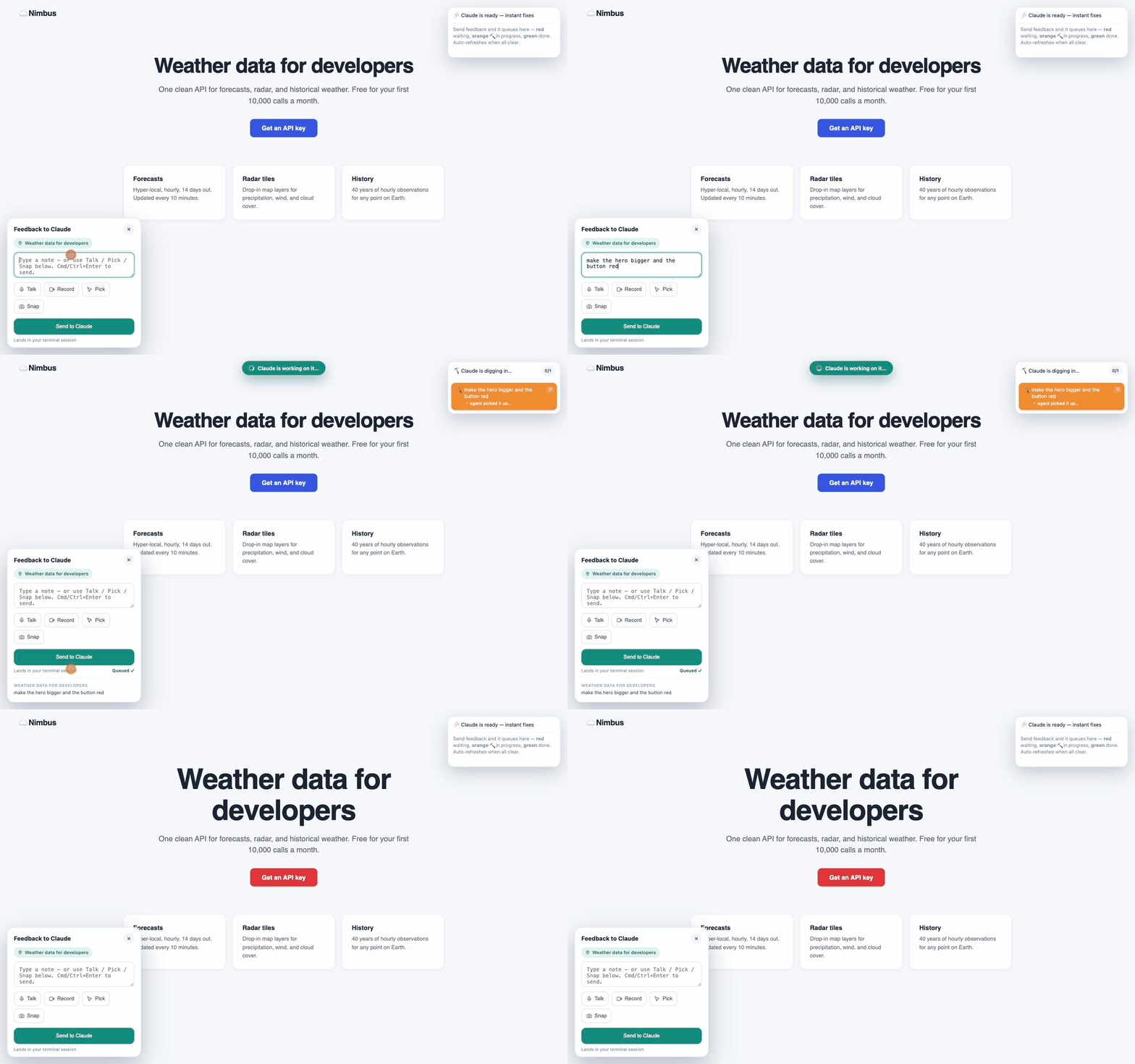
What it is
YapUI is a Claude Code skill that serves any HTML file over http://localhost, injects a feedback widget, and keeps a resident, pre-warmed Claude agent listening. open file.html is a dead end — file:// blocks the mic and screen capture, and every change means typing it all back into the terminal. YapUI replaces that round-trip with a live, two-way conversation on top of your page.
What you can do
- 🎙 Talk to your page Dictate a change out loud while pointing at the thing you mean.
- 🎯 Point & pick Click an element to attach it to your note, so "make this bigger" just works.
- 🎬 Record · 📸 Snap · ⌨️ Type Capture a janky animation, screenshot a glitch, or send a plain note.
- 🔁 It replies in the browser Your note flips to working in ~40 ms, the fix lands in seconds, and the page refreshes itself.
Install
# one command (via skills.sh) — or pick another option in the README
npx skills add tatendaz/yapui

# git clone, as a personal Claude Code skill
git clone https://github.com/Tatendaz/yapui ~/.claude/skills/yapui

# or as a Claude Code plugin
/plugin marketplace add Tatendaz/yapui
/plugin install yapui@yapui-marketplace
Then just ask Claude to "preview index.html". Needs Node 20+, the claude CLI for instant mode, and a Chromium browser for 🎬 Record — 🎙 Talk needs Chrome or Edge — while typing and picking work anywhere (📸 Snap works in any browser too, but needs internet for the html2canvas CDN fetch). Plain Node, zero npm dependencies, MIT. The relay has no backend — your HTML, notes, recordings and screenshots stay in a local .yapui/ folder — but applying a fix is a Claude agent running on your own account, so it sends what a Claude agent sends: what leaves your machine.
FAQ
What is YapUI?
YapUI is an open-source Claude Code skill that previews any HTML file in your browser and lets you request changes by talking, pointing, recording, screenshotting, or typing — a resident Claude agent applies each fix in seconds and replies right in the page.
How is YapUI different from live-server or a live-preview extension?
A live server only refreshes the page when files change; YapUI adds the other direction — a feedback widget in the page sends your spoken, pointed, or typed notes to a resident Claude agent that edits the HTML for you, so the conversation and the preview happen in one place.
Does YapUI work with Claude Code?
Yes — YapUI is built as a Claude Code skill, and its instant mode runs on the Claude Code CLI; without the CLI it falls back to a watcher mode driven by your main Claude session.
Is YapUI free?
YapUI itself is free: MIT-licensed open source with zero npm dependencies, no YapUI account, no YapUI subscription and no YapUI service to pay for. What it spends is Claude. Applying a fix runs the Claude Code CLI on your own account, so each one draws on the Claude Code plan or API credits you already have — exactly as if you had typed the same request in your terminal.
Does YapUI send my code anywhere?
There is no hosted YapUI backend: the relay runs on your own machine, your HTML stays where it is, and your notes, recordings and screenshots are stored locally under the relay's workdir — by default a .yapui/ folder next to the page, unless WORKDIR moves it. But applying a fix is a Claude agent, so instant mode sends what a Claude agent sends — the note, with the element you picked, the cursor trail and the spoken-word timeline, plus your screenshot, the frames extracted from a recording, and the HTML being edited — to the Anthropic API under your own Claude Code account and its data-retention settings. Watcher mode routes the note through your main Claude session instead. Either way it travels the path your terminal sessions already travel — same API, same account, same retention settings — though the payload is richer than a typed prompt, since a screenshot and a cursor trail are not things you would normally type.
How do I install YapUI?
Run npx skills add tatendaz/yapui, git clone the repo into ~/.claude/skills/yapui, or add it as a Claude Code plugin with /plugin marketplace add Tatendaz/yapui followed by /plugin install yapui@yapui-marketplace — then just ask Claude to preview an HTML file.